Case study · Mobile · Android native
Translate any text on your screen without leaving the app you are in
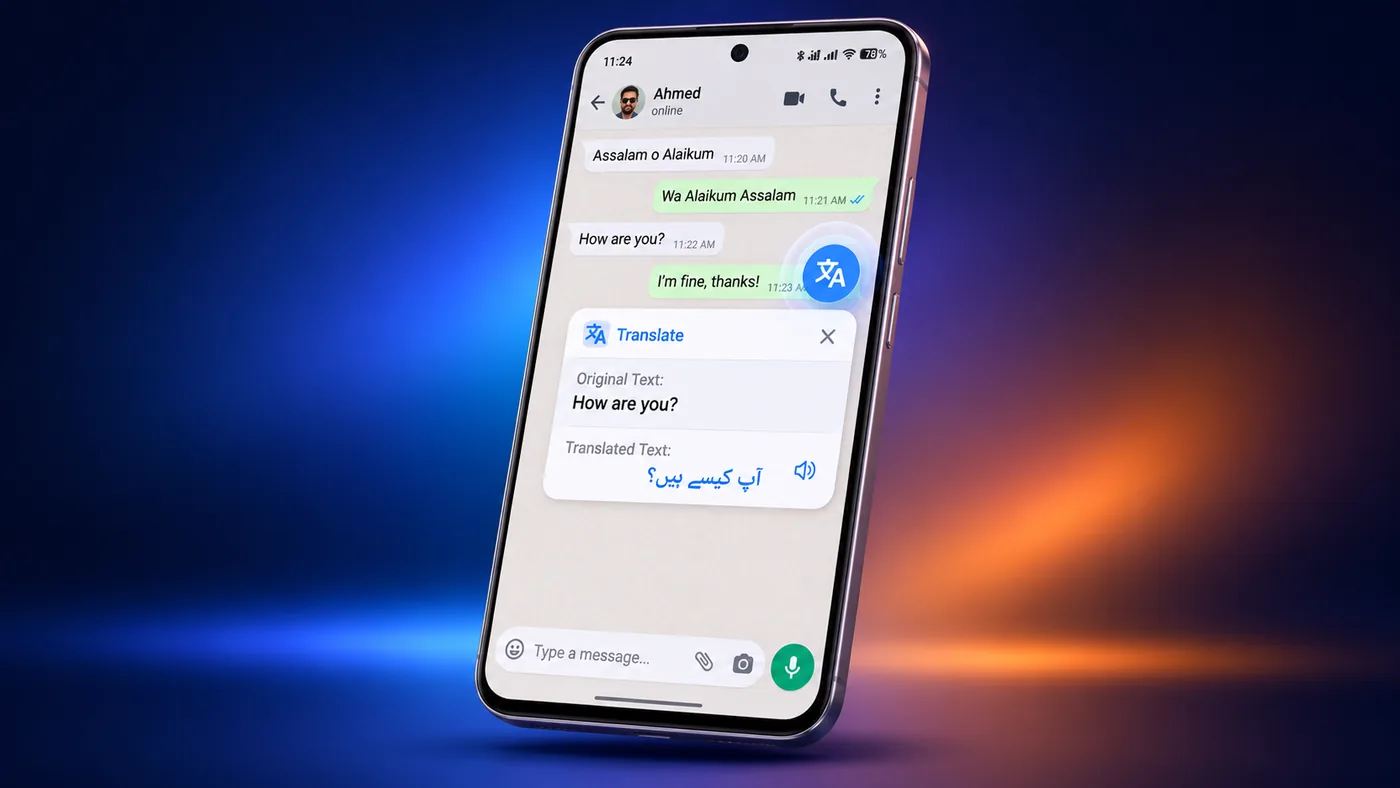
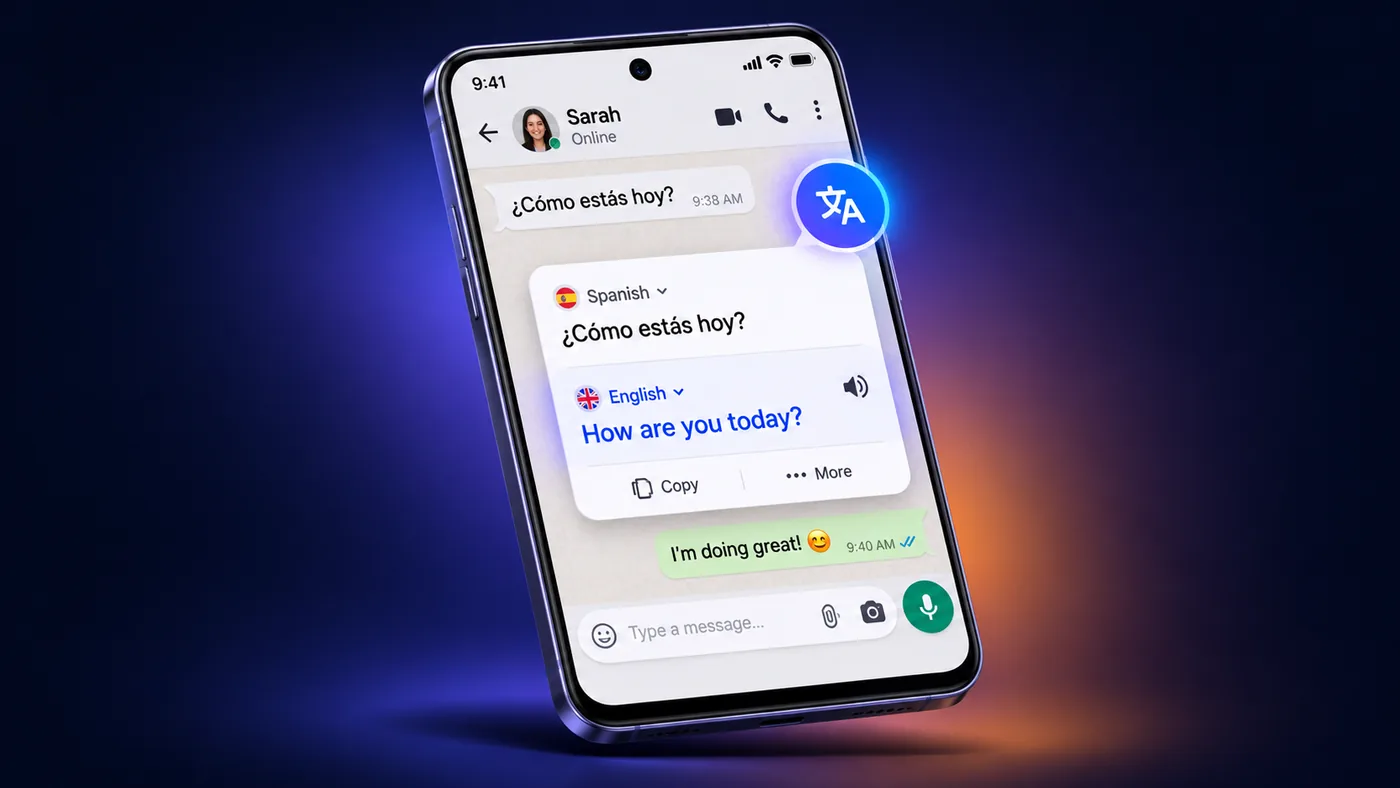
On-Screen Translator is an Android app that floats a small translate bubble over any other app. Tap it, and the app reads the text on screen with ML Kit OCR and shows the translation in a card right there.
Screenshots
The problem
Messages, posts and menus often show up in a language you do not read, and many of them cannot be copied. The usual workaround is a screenshot, a switch to a translation app and a switch back, which breaks the conversation every time.
Our solution
- 1
A floating bubble, run by a native Kotlin foreground service, stays on top of other apps so a translation is one tap away from a chat or a page.
- 2
ML Kit OCR reads the text on the screen, so it works even where the text cannot be selected. The result appears in a small card with the original text next to its translation.
- 3
The interface is built in Flutter and connected to the Kotlin service through platform channels, so the app has a fast, consistent UI and still gets the native control that overlays need.
Key features
- Floating translate bubble that sits over other apps
- Text read from the screen with ML Kit OCR
- Original and translated text side by side in a pop-up card
- Source and target language pickers
- Listen to the translation with a speaker button
- Copy the translation in one tap
Results
- Taps to translate
- 1
- Apps it works over
- Any
- Translation happens in place, without leaving the chat or app you are using
- Works on text you cannot copy, because it reads the screen instead of the text layer
- A clean split between a Flutter UI and a native Kotlin service that is easy to extend
Have an idea? Let's stack it up.
Tell us what you are building. You will get a clear plan and a fair quote, usually within one business day.