Case study · Business software · Desktop
A point-of-sale system that keeps selling when the internet does not
An offline-first desktop system that runs a retail electronics shop: sales, purchases, stock, customer credit and expenses, all stored safely on the shop's own computer.
Screenshots
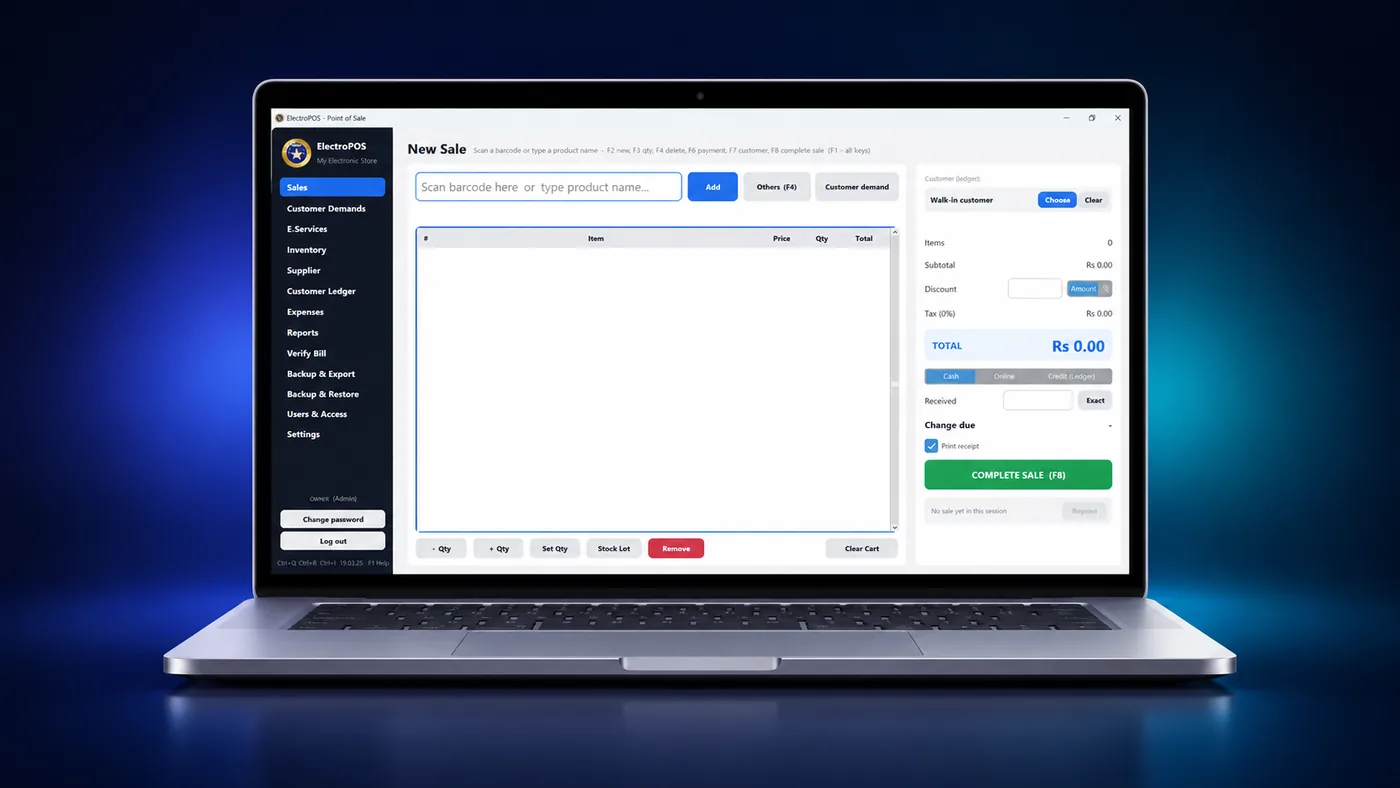
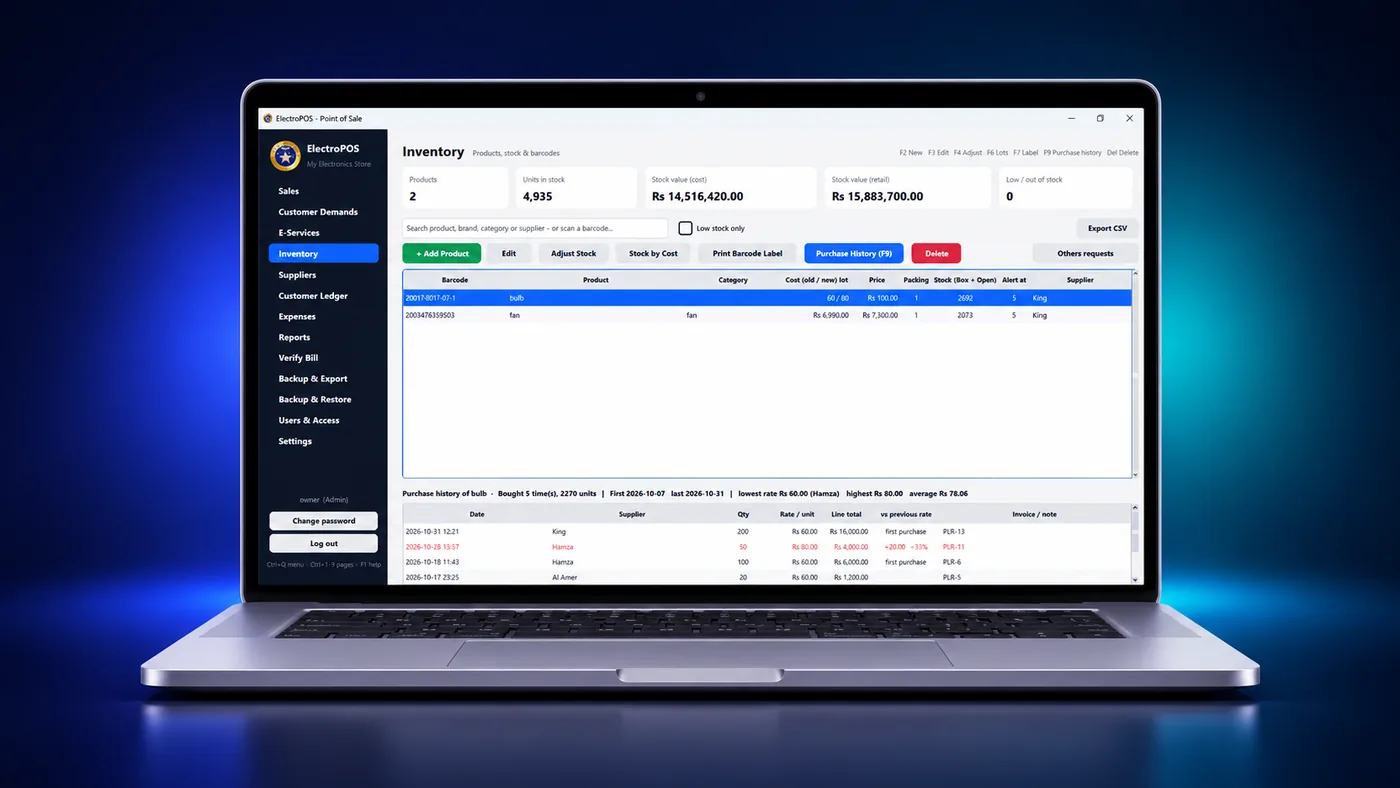
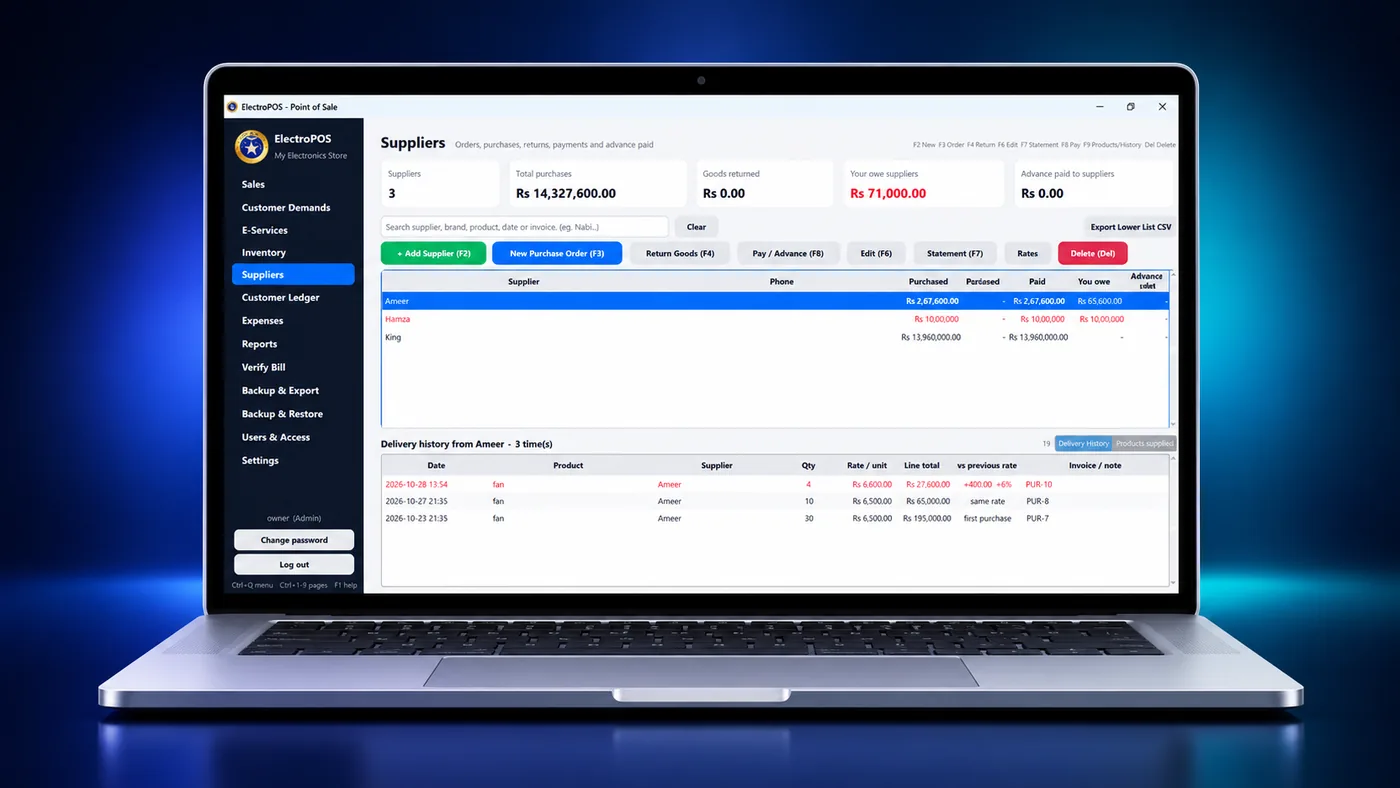
The problem
A retail electronics shop needed one system to sell, buy and track stock. Cloud tools stop working when the connection or power drops, and every minute offline at the counter is a lost sale. The shop wanted its records on its own machine, with no online database to depend on.
Our solution
- 1
We built a Python Tkinter desktop application with a local SQLite database, so every feature works with no internet connection at all.
- 2
Sales and purchases update stock automatically, a low-stock indicator warns before items run out, and barcodes can be printed and scanned to speed up the counter.
- 3
Separate records for customer credit, supplier purchases and expenses keep the shop's money in one place, and built-in backup and restore protect the data if the computer fails.
Key features
- Fast sales screen with barcode scanning and receipt printing
- Purchases and supplier records that feed straight into stock
- Inventory with a low-stock indicator
- Customer credit (khata) and expense tracking
- Cash, online and credit (ledger) payments with change calculation
- Keyboard shortcuts for the whole counter workflow
- Supplier accounts with purchase orders, returns, advance payments and statements
- Purchase history that flags price increases against the previous rate
- User accounts with access control
- Barcode label printing and CSV export
- One-click local backup and restore
Before this system, our sales, stock and customer credit lived in notes and memory. Now it is all in one place, and it keeps working when the power or the internet goes down, so the counter never has to stop.
Results
- Internet needed to sell
- None
- Records in one system
- 5
- Backup and restore
- 1 click
- The shop keeps selling through outages, because nothing depends on the internet
- Sales, purchases, stock, credit and expenses are tracked in one system instead of scattered notes
- The shop owns and controls its data, stored locally with its own backups
Have an idea? Let's stack it up.
Tell us what you are building. You will get a clear plan and a fair quote, usually within one business day.